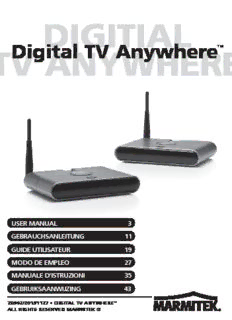
Table Of ContentDIGITIAL
Digital TV Anywhere™
TV ANYWHERE
USER MANUAL 3
GEBRAUCHSANLEITUNG 11
GUIDE UTILISATEUR 19
MODO DE EMPLEO 27
MANUALE D’ISTRUZIONI 35
GEBRUIKSAANWIJZING 43
20392/20131127 • DIGITAL TV ANYWHERE™
ALL RIGHTS RESERVED MARMITEK ©
SAFETY WARNINGS H
S
LI
(cid:2) To prevent short circuits, this product should only be used inside and G
N
only in dry spaces. Do not expose the components to rain or E
moisture. Do not use the product close to a bath, swimming pool etc.
(cid:2) Do not expose the components of your system to extremely high
temperatures or bright light sources.
(cid:2) Do not open the product: the device contains live parts. The
product should only be repaired or serviced by a qualified
repairman.
(cid:2) In case of improper use or if you have opened, altered and repaired
the product yourself, all guarantees expire. Marmitek rejects
responsibility in the case of improper use of the product or when the
product is used for purposes other than specified. Marmitek does not
accept liability for additional damages other than covered by the legal
product liability.
(cid:2) Only connect the adapter to the mains after checking whether the
mains voltage is the same as the values on the identification tags.
Never connect an adapter or power cord when it is damaged. In that
case, contact your supplier.
(cid:2) This product is not a toy. Keep out of reach of children.
DIGITAL TV ANYWHERE 3
CONTENTS
SAFETY WARNINGS................................................................................ 3
CONTENTS .............................................................................................. 4
WATCH DIGITAL TV FAR AWAY FROM THE DECODER ...................... 5
HOW DOES DIGITAL TV ANYWHERE WORK? ...................................... 5
SET CONTENTS ...................................................................................... 5
DIGITAL TV ANYWHERE ......................................................................... 6
SETTING UP THE AV TRANSMITTER .................................................... 7
SETTING UP THE AV RECEIVER ........................................................... 7
SETTING UP THE IR (INFRARED) EXTENDER ...................................... 8
FREQUENTLY ASKED QUESTIONS ....................................................... 9
TECHNICAL DATA .................................................................................10
4 © MARMITEK
WATCH DIGITAL TV FAR AWAY FROM H
S
LI
THE DECODER G
N
E
(cid:2) Watch and operate the digital TV channels from your decoder
anywhere.
(cid:2) Extra functionality such as Video on Demand, Pay TV, Electronic
Programme Guide, Time Shift and Digital Video Recorder (DVR) also
remain available and usable.
(cid:2) Place your TV wherever you want, without having to consider the
location of the aerial or satellite connection and without laying cables
or drilling holes.
(cid:2) Retain original sound and picture quality as a result of digital
transmission.
HOW DOES DIGITAL TV ANYWHERE
WORK?
The set comprises a transmitter and a receiver. Connect the transmitter to
the SCART output on your decoder that is connected to the aerial or
satellite connection. Then connect the receiver to the TV. The set sends
on the picture, sound and commands from your remote control wirelessly.
SET CONTENTS
1 A/V Transmitter
1 A/V Receiver
2 Power adapters
1 IR Extender cable
2 SCART cables
2Stands
1 User manual
DIGITAL TV ANYWHERE 5
DIGITAL TV ANYWHERE
5
8
7
4
3 6
2
1
1. Power adapter jack
2. ID code switch, the AV transmitter and AV receiver have to be on the
same channel.
3. AVjack.
4. IR extension jack (only on the AV Transmitter)
5. Antenna
6. Power ON/OFF switch
7. LED indicator: LINK
8. LED indicator: POWER
6 © MARMITEK
SETTING UP THE AV TRANSMITTER H
S
LI
1. Connect the TRANSMITTER SCART cable to the AV jack at the back G
N
of the AV transmitter [3]. E
2. Connect the SCART plug to the video (or audio) device you want to
broadcast (e.g. your digital TV decoder of satellite receiver).
3. Switch your ID code switch [2] (1-2-3-4) to1.
4. Make sure the ON/OFF switch [6] is to the OFF position.
5. Connect the DC plug of the adapter to the DC jack, [1] at the back of
the AV Transmitter and connect the adapter to an outlet. Only use
thesupplied power adapter!
6. Now push the ON/OFF switch [6].The power LED [8] will go on.
7. Position the AV transmitter in a convenient location, preferably free
on all sides.If necessary, use the included stand. Make sure the
antenna [5] is placed vertical.
SETTING UP THE AV RECEIVER
1. Connect the RECEIVER SCART cable to the AVjack at the back of
the AVreceiver [3].
2. Connect the SCART plug with the SCART input of the TV.
3. Switch your ID code switch [2] (1-2-3-4) to 1.
4. Make sure the ON/OFF switch [6] is to the OFF position.
5. Connect the DC plug of the adapter to the DC jack, [1] at the back of
the AV Receiver and connect the adapter to an outlet. Only use the
supplied power adapter!
6. Now push the ON/OFF switch [6].The power LED [8] will go on.
7. Position the AV Receiver in a convenient location, preferably free on
all sides. If necessary, use the included stand. Make sure the
antenna [5] is placed vertical.
DIGITAL TV ANYWHERE 7
SETTING UP THE IR (INFRARED)
EXTENDER
1. Connect the included IR Extender to the input [4] at the back of the
transmitter.
2. Place the LED from the IR extender cable precisely on the IR window
(infrared sensor) on the A/V equipment that you wish to operate.
(cid:2) Ensure that the IR extender cable’s LEDs are stuck precisely on the
A/V device’s infrared sensor (this can be extremely accurate on some
devices). The exact position can easily be located by shining a torch
on the front panel and looking for the IR sensor window.
(cid:2) All IR LEDs include aself-adhesive film with which they are attached
to your A/V equipment.
(cid:2) Test the position and the performance of the IR LED before you
secure them to the IR window on your A/V equipment.
Environmental Information for Customers in the European Union
European Directive 2002/96/EC requires that the equipment bearing this symbol
on the product and/or its packaging must not be disposed of with unsorted
municipal waste. The symbol indicates that this product should be disposed of
separately from regular household waste streams. It is your responsibility to
dispose of this and other electric and electronic equipment via designated
collection facilities appointed by the government or local authorities. Correct disposal and
recycling will help prevent potential negative consequences to the environment and human
health. For more detailed information about the disposal of your old equipment, please contact
your local authorities, waste disposal service, or the shop where you purchased the product.
8 © MARMITEK
FREQUENTLY ASKED QUESTIONS H
S
LI
I do not get any signal. G
(cid:2) Check if the units are connected to the mains and if the channel EN
setting [2] is the same on both units.
(cid:2) Check if both units are in the ‘ON’ position [6].
(cid:2) Check if the receiving TV is on the correct A/V channel.
The signal received is poor.
(cid:2) Try another channel (1, 2, 3 or 4; the channel settings must be the
same on both units).
(cid:2) Move transmitter and/or receiver from the immediate vicinity of the
connected A/V devices.
(cid:2) These may affect the range.
(cid:2) You are (almost) out of range.
(cid:2) Changing the position of the transmitter and / or receiver a few
centimetres may rectify the problem.
(cid:2) Try again with shorter distances.
The images and sound are perfect, but the infrared return signal
does not work.
Check the following:
(cid:2) Depending on the local situation the A/V signal can reach further than
the signal of the IR receiver. Try again with shorter distances.
(cid:2) Has the IR emitter been properly connected to the AVtransmitter?
(cid:2) Has the IR emitter been properly placed near the IR window of your
A/V device?
I do get images but no sound.
(cid:2) The Digital TV Anywhere can send analogue stereo signals, such as
Dolby Surround. Digital systems such as Dolby 5.1 or Dolby Digital
cannot be transmitted.
Do you still have questions?
Check out www.marmitek.com for more information.
DIGITAL TV ANYWHERE 9
TECHNICAL DATA
General specifications
Supply voltage: 100 - 240VAC 50/60Hz, 2 x DC adapter
Power Consumption < 7 W
Operation Frequency Range 2400 ~ 2478 MHz
AV RF transmission digital
Channel Switching FHSS mode up to 25 channels
Modulation/Demodulation BPSK, QPSK, 16-QAM
RF Bandwidth 3Mbps
Transmission Range Up to 200m free field, up to 50m through walls and
ceilings
RF Frequency IR: 433,92 MHz
IR frequency range 30 ~ 60kHz
LEDs Power, Link
Ambient temperature: 0 ~ +50°C (Operation)
-20°C tot +70°C (storage)
AV Transmitter
Supply Voltage DC +9V
Supply Current Max. 500mA
Transmission Power 18 dBm, typ.
Video Input Level 1Vp-p, typ.
Video Input Impedance 75 ohm
Input jack AV Jack (3.5Φ)
AV Connection cable AV Jack to SCART
Antenna extern, omnidirectional
Antenna Gain 2 dBi
Antenna Port Impedance 50 ohm
weight 240 grams
Dimension (Only unit) approx. 160 x 120 x 30 (mm)
AV Receiver
Supply Voltage DC +9V
Supply Current Max. 500mA
Sensitivity - 80 dBm
Output Image Resolution 720 x 480 (D1) 720 x 576
Output Frame Rate 30 fps 25 fps
Video Output Signal Level 1Vp-p, typ.
Video Output Impedance 75 ohm
Output jack AV Jack (3.5Φ)
AV Connection cable AV Jack to SCART
Antenna extern, omnidirectional
Antenna Gain 2 dBi
Antenna Port Impedance 50 ohm
weight 240 grams
Dimension (Only unit) approx. 160 X 120 X 30 (mm)
Specifications may be modified without prior notice.
10 © MARMITEK
Description:x Place your TV wherever you want, without having to consider the location of broadcast (e.g. your digital TV decoder of satellite receiver). 3. Switch