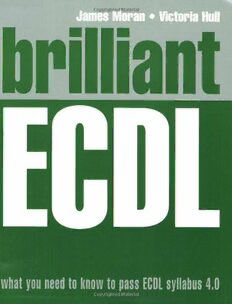
Table Of ContentBrilliant ECDL_0131976311 10/11/05 9:22 am Page 1
James Moran • Victoria Hull
What you need to know to pass the exam!
brilliant
Traditional training guides can be unwieldy and make it hard to get to the info you need right away! Brilliant ECDLallows
you to find the information you need, easily and without fuss, and guides you through each task using a highly visual,
step-by-step approach – providing everything you need to gain full understanding and practical knowledge of the
subjects covered by the ECDL syllabus, and then to pass the ECDL tests – exactly when you need it!
brilliant ECDL
b
r
i
l
l
i
a
n ECDL
t
Brilliantguides provide the quick, easy-to-access Brilliant ECDLwill show you how to pass all seven E
information that you need, using … modules of ECDL … C
• Detailed troubleshooting guide to help you find exactly • Basic Concepts of Information Technology D
what you need to know • Using the Computer and Managing Files L
• Easy steps to guide you through each task or problem • Word Processing
• Numerous screenshots to illustrate each step • Spreadsheets
• Information boxes to alert you to relevant expert tips, • Databases
tricks and advice
• Presentations
• Information and Communication
Comprehensively covering the latest version of the ECDL syllabus – ECDL 4.0 - this easy-to-use and accessible book
covers all seven modules of the ECDL syllabus using the most popular business software – Microsoft Windows XP®;
Microsoft Office XP®; and Internet Explorer 6®.
what you need to know and how to do it
M
o
r
a
n
––––––––––––––––––––
•
Visit us on the web at ECDL
www.pearson-books.com –––––––––––––––––––– H
u
l
l
what you need to know to pass ECDL syllabus 4.0
£16.99
BREC_A01.QXD 11/11/05 3:07 PM Page i
Brilliant ECDL
James Moran and Victoria Hull
BREC_A01.QXD 11/11/05 3:07 PM Page ii
PEARSON EDUCATION LIMITED
Edinburgh Gate
Harlow CM20 2JE
Tel: +44 (0)1279 623623
Fax: +44 (0)1279 431059
Website: www.pearsoned.co.uk
First published in Great Britain in 2006
© Happy Computers 2006
ISBN-13: 978-0-13-197631-3
ISBN-10: 0-13-197631-1
British Library Cataloguing-in-Publication Data
A catalogue record for this book is available from the British Library
Library of Congress Cataloging-in-Publication Data
Moran, James.
Brilliant ECDL / James Moran and Victoria Hull.
p. cm.-- (Brilliant guides)
ISBN-13: 978-0-13-197631-3
ISBN-10: 0-13-197631-1
1. Electronic data processing personnel--Certification--Europe. 2. Microcomputers. 3.
European Computer Driving Licence. I. Hull, Victoira. II. Title. III. Series.
QA76.3.M649 2005
005.5--dc22
2005053923
All rights reserved. No part of this publication may be reproduced, stored in a retrieval system, or transmitted in any
form or by any means, electronic, mechanical, photocopying, recording or otherwise, without either the prior written
permission of the publisher or a licence permitting restricted copying in the United Kingdom issued by the Copyright
Licensing Agency Ltd, 90 Tottenham Court Road, London W1T 4LP. This book may not be lent, resold, hired out or
otherwise disposed of by way of trade in any form of binding or cover other than that in which it is published, without
the prior consent of the Publishers.
Microsoft product screen shots reprinted with permission from Microsoft Corporation.
10 9 8 7 6 5 4 3 2 1
10 09 08 07 06 05
Typeset in 9/12pt Helvetica Roman by 30
Printed and bound in Great Britain by Bell & Bain Ltd, Glasgow
The Publisher’s policy is to use paper manufactured form sustainable forests.
BREC_A01.QXD 11/11/05 3:07 PM Page iii
Brilliant Guides
What you need to know and how to do it
When you’re working on your PC and come up against a problem that you’re unsure how to
solve, or want to accomplish something in an application that you aren’t sure how to do,
where do you look? Manuals and traditional training guides are usually too big and
unwieldy and are intended to be used as an end-to-end training resource, making it hard to
get to the info you need right away without having to wade through pages of background
information that you just don’t need at that moment – and helplines are rarely that helpful!
Brilliantguides have been developed to allow you to find the info you need easily and
without fuss and guide you through the task using a highly visual, step-by-step approach –
providing exactly what you need to know when you need it!
Brilliantguides provide the quick easy-to-access information that you need, using a
detailed index and troubleshooting guide to help you find exactly what you need to know,
and then presenting each task on one or two pages. Numbered steps then guide you
through each task or problem, using numerous screenshots to illustrate each step. Added
features include information boxes that point you to related tasks and information in the
book, and alert you to relevant expert tips, tricks and advice to further expand your skills
and knowledge.
In addition to covering all major office PC applications, and related computing subjects, the
Brilliantseries also contains titles that will help you in every aspect of your working life,
such as writing the perfect CV, answering the toughest interview questions and moving on
in your career.
Brilliantguides are the light at the end of the tunnel when you are faced with any minor or
major task!
iii
BREC_A01.QXD 11/11/05 3:07 PM Page iv
BREC_A01.QXD 11/11/05 3:07 PM Page v
Authors’ Acknowledgements
Compiled/edited/mismanaged by James Moran, based on manuals written by me, Victoria
Hull, Nik Taylor, and Clare Simmons.
This book could not have existed without the hard work, team spirit and good teeth of the
Happy Computers and Happy eLearning teams, specifically:
Cathy Busani – for manuals, caring, and being lovely
Victoria Hull – for keeping us eLearning people safe and warm, being fab, and
remembering things
Jodie Kearns – for all your help and support, especially with synchronization
Debbie Lampon – for beating the website into shape using “programming”, or something
Clare Simmons – for manuals, and knowing the way to San José
Nik Taylor – for more manuals, and being a diamond geezer
Nick Velasco – for hitting the PC when it crashed to make it work
...and Henry Stewart who, thankfully, didn’t listen to all the people who said that you could
never run a business being nice to the staff, or with a silly name like Happy Computers.
Thanks for starting such a great place to work, and employing all of us troublemakers.
Happy Computers (www.happy.co.uk) is a computer training company that believes
learning should be fun. It was established to combine technical expertise and excellent
training skills with an enjoyable learning environment. In 2001 it was named as IT Training
Company of the Year by the Institute of IT Training. In 2003 it was voted by Management
Today to be the best company in the UK for customer service. And in 2004 it was named as
the best company in the UK for work/life balance by the Financial Times. All Happy
Computers’ training is based around the following age-old principle:
■ Tell me and I will forget
■ Show me and I will remember
■ Involve me and I will understand
Happy eLearning is the online division of Happy Computers, and is the lead supplier of
online ECDL training for the NHS and the DWP. Contact us via the website, at
www.happyelearning.co.uk
For more details of classroom training contact Happy Computers:
Website: www.happy.co.uk
Email: [email protected]
Phone: 020 7375 7300
And seeing as I spent ages fiddling about with putting the pages together, coping with a
constantly crashing PC and a deadline of about 12 seconds, I think I deserve a paragraph
all to myself. And that was it. Oh well.
AUTHORS’ ACKNOWLEDGEMENTS v
BREC_A01.QXD 11/11/05 3:07 PM Page vi
BREC_A01.QXD 11/11/05 3:07 PM Page vii
Contents
Introduction xliii
MODULE1 BASIC CONCEPTS OF INFORMATION TECHNOLOGY
1 Getting Started 3
1.1 Computer Terms 3
1.1.1 What is a Computer? 3
1.1.2 The First Computer 3
1.1.3 Hardware and Software 3
1.1.4 Other Names for Computers 4
1.2 Computer Hardware 4
1.2.1 Computer Types 4
1.2.2 Parts of a Computer 4
1.3 Computer Accessories 5
1.3.1 Disks 5
1.3.2 Backup Tapes 5
1.3.3 Printers 6
1.3.4 Modems 6
1.3.5 Network Cards 6
1.3.6 Talking to the PC 6
1.3.7 Multimedia 7
1.3.8 Input and Output Devices 7
1.3.9 What is a Peripheral Device? 7
1.4 Memory and Storage 8
1.4.1 RAM 8
1.4.2 ROM 8
1.4.3 Hard Disks 8
1.4.4 Formatting a Disk 8
1.4.5 Bits and Bytes 8
1.4.6 Comparing the Capacity of Different Memory Devices 9
1.4.7 Comparing the Cost of Different Memory Devices 9
1.4.8 What Should I Consider When Buying a PC? 10
1.4.9 Volatile and Non-volatile Memory 10
1.4.10 Smart Cards 10
1.5 Computer Software 10
1.5.1 What is Software? 10
1.5.2 Examples of Application Software 11
1.5.3 The GUI 11
CONTENTS vii
BREC_A01.QXD 11/11/05 3:07 PM Page viii
1.5.4 Data 11
1.5.5 Software Development 11
1.5.6 Bugs 12
1.5.7 Software Versions 12
1.5.8 Product ID Numbers 12
2 Using Information Technology 13
2.1 Using Networks 13
2.1.1 What is a Network? 13
2.1.2 LANs and WANs 13
2.1.3 Connecting Computers Together 14
2.1.4 Clients and Servers 14
2.1.5 Analogue and Digital 14
2.1.6 Modems 14
2.1.7 ISDN 15
2.1.8 PSTN 15
2.1.9 ADSL 15
2.1.10 Fax 15
2.2 The Internet and Email 15
2.2.1 The Internet 15
2.2.2 Websites 15
2.2.3 What You Need 16
2.2.4 Searching 16
2.2.5 E-commerce 16
2.2.6 Email 17
3 Computers in Everyday Life 18
3.1 Home, Work and Education 18
3.1.1 Computers in the Home 18
3.1.2 Teleworking 18
3.1.3 Computers in Business 19
3.1.4 Education 19
3.1.5 Hospitals 19
3.1.6 Government 19
3.2 Computers in Everyday Life 20
3.2.1 Computers in Everyday Life 20
3.2.2 The Information Society 20
3.2.3 Computers or Humans? 20
3.2.4 Computers and the Environment 21
3.3 Working Safely with Computers 21
3.3.1 Common Sense 21
3.3.2 RSI 21
3.3.3 Eyes 21
3.3.4 Lighting 22
3.3.5 Sit Properly 22
3.3.6 Cables 22
viii CONTENTS
BREC_A01.QXD 11/11/05 3:07 PM Page ix
3.4 Protecting Your Work 22
3.4.1 Information Security 22
3.4.2 Passwords and User ID’s 23
3.4.3 Backups 23
3.4.4 Viruses 23
3.4.5 Virus Hoaxes 24
3.5 Save, Save, Save 25
3.6 Protec– 26
3.7 Protecting Your PC 26
4 Legal Issues 28
4.1 Copyright and Software 28
4.1.1 Copyright 28
4.1.2 Licensing 28
4.1.3 Piracy 29
4.1.4 Freeware and Shareware 29
4.2 The Data Protection Act 29
4.2.1 Big Brother 29
4.2.2 Data Protection 29
MODULE 2 FILE MANAGEMENT
1 The Desktop 33
1.1 Introduction to the Desktop 33
1.1.1 The Desktop Screen 33
1.1.2 What is Each Part for? 34
1.1.3 Desktop Icons 35
1.1.4 The Taskbar 35
1.1.5 Moving the Taskbar 35
1.1.6 The Start Button 36
1.1.7 Using the Start Menu 36
1.2 Desktop Icons 37
1.2.1 Selecting Icons 37
1.2.2 Deselecting Icons 37
1.2.3 Moving Desktop Icons 37
1.2.4 Arranging the Icons 37
1.2.5 Opening a Window Using a Desktop Icon 38
1.2.6 What are Desktop Shortcuts? 38
1.2.7 Creating a Shortcut on the Desktop 38
1.2.8 Renaming Shortcuts 38
1.2.9 Deleting Shortcuts 39
1.3 The Desktop Settings 39
1.3.1 Customising Your Desktop 39
1.3.2 Changing the Background 39
1.3.3 Changing the Colour Scheme 40
CONTENTS ix