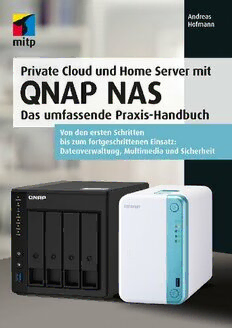
Table Of ContentAndreas Hofmann
Private Cloud und Home Server mit
QNAP NAS
Das umfassende Praxis-Handbuch
Bibliografische Information der Deutschen Nationalbibliothek
Die Deutsche Nationalbibliothek verzeichnet diese Publikation in der Deutschen National-
bibliografie; detaillierte bibliografische Daten sind im Internet über <http://dnb.d-nb.de>
abrufbar.
ISBN 978-3-7475-0335-5
1. Auflage 2021
www.mitp.de
E-Mail: [email protected]
Telefon: +49 7953 / 7189 - 079
Telefax: +49 7953 / 7189 - 082
© 2021 mitp Verlags GmbH & Co. KG, Frechen
Dieses Werk, einschließlich aller seiner Teile, ist urheberrechtlich geschützt. Jede Verwertung
außerhalb der engen Grenzen des Urheberrechtsgesetzes ist ohne Zustimmung des Verlages
unzulässig und strafbar. Dies gilt insbesondere für Vervielfältigungen, Übersetzungen, Mikro-
verfilmungen und die Einspeicherung und Verarbeitung in elektronischen Systemen.
Die Wiedergabe von Gebrauchsnamen, Handelsnamen, Warenbezeichnungen usw. in diesem
Werk berechtigt auch ohne besondere Kennzeichnung nicht zu der Annahme, dass solche
Namen im Sinne der Warenzeichen- und Markenschutz-Gesetzgebung als frei zu betrachten
wären und daher von jedermann benutzt werden dürften.
Lektorat: Janina Bahlmann
Sprachkorrektorat: Christiane Hoffmeister
Covergestaltung: Christian Kalkert
Bildnachweis: © QNAP Marketing Resource 2021
Satz: III-satz, www.drei-satz.de
Inhaltsverzeichnis
Einleitung. . . . . . . . . . . . . . . . . . . . . . . . . . . . . . . . . . . . . . . . . . . . . . . . . . . . . . . 13
Für wen ist dieses Buch gedacht?. . . . . . . . . . . . . . . . . . . . . . . . . . . . . . . . . . . . 14
Inhalt und Aufbau. . . . . . . . . . . . . . . . . . . . . . . . . . . . . . . . . . . . . . . . . . . . . . . . 14
Hilfe, ich weiß nicht weiter. . . . . . . . . . . . . . . . . . . . . . . . . . . . . . . . . . . . . . . . . 15
Teil I Grundlagen 17
1 Die richtige Hardware für Ihre Anforderungen . . . . . . . . . . . . . . . . . . . . . . . . 19
1.1 Das richtige QNAP-Gerät für Sie . . . . . . . . . . . . . . . . . . . . . . . . . . . . . . . . . . . . 19
1.1.1 Die Modellbezeichnungen verstehen . . . . . . . . . . . . . . . . . . . . . . . . . 19
1.1.2 Viele Modelle, viele Aufgaben . . . . . . . . . . . . . . . . . . . . . . . . . . . . . . . 22
1.2 Die Wahl der Festplatten. . . . . . . . . . . . . . . . . . . . . . . . . . . . . . . . . . . . . . . . . . . 29
1.2.1 Spezielle NAS-Festplatten. . . . . . . . . . . . . . . . . . . . . . . . . . . . . . . . . . . 29
1.2.2 Die Bauform . . . . . . . . . . . . . . . . . . . . . . . . . . . . . . . . . . . . . . . . . . . . . 30
1.2.3 Die Geschwindigkeit. . . . . . . . . . . . . . . . . . . . . . . . . . . . . . . . . . . . . . . 30
1.2.4 Die Hersteller . . . . . . . . . . . . . . . . . . . . . . . . . . . . . . . . . . . . . . . . . . . . 31
1.2.5 Die richtige Kapazität . . . . . . . . . . . . . . . . . . . . . . . . . . . . . . . . . . . . . . 31
1.3 Die Festplattenkonfiguration . . . . . . . . . . . . . . . . . . . . . . . . . . . . . . . . . . . . . . . 33
1.3.1 Was ist Redundanz? . . . . . . . . . . . . . . . . . . . . . . . . . . . . . . . . . . . . . . . 33
1.3.2 Was ist ein RAID?. . . . . . . . . . . . . . . . . . . . . . . . . . . . . . . . . . . . . . . . . 33
1.3.3 Warum ein RAID kein Backup ist. . . . . . . . . . . . . . . . . . . . . . . . . . . . 34
1.3.4 Die verschiedenen RAID-Level. . . . . . . . . . . . . . . . . . . . . . . . . . . . . . . 34
1.3.5 Der RAID-Rechner . . . . . . . . . . . . . . . . . . . . . . . . . . . . . . . . . . . . . . . . 39
2 Zusammenbauen, aufstellen und installieren. . . . . . . . . . . . . . . . . . . . . . . . . . 41
2.1 Zusammenbau. . . . . . . . . . . . . . . . . . . . . . . . . . . . . . . . . . . . . . . . . . . . . . . . . . . 41
2.2 Der richtige Aufstellort . . . . . . . . . . . . . . . . . . . . . . . . . . . . . . . . . . . . . . . . . . . . 45
2.2.1 Die Netzwerkverbindung – oder das gute alte Kabel . . . . . . . . . . . . . 45
2.2.2 Die Umgebung im Auge behalten. . . . . . . . . . . . . . . . . . . . . . . . . . . . 46
2.3 Firmware-Installation: Die erste Inbetriebnahme. . . . . . . . . . . . . . . . . . . . . . . 48
2.3.1 Das NAS im Netzwerk finden . . . . . . . . . . . . . . . . . . . . . . . . . . . . . . . 48
2.3.2 Die Firmware-Installation. . . . . . . . . . . . . . . . . . . . . . . . . . . . . . . . . . . 52
2.3.3 Die Einrichtung abschließen . . . . . . . . . . . . . . . . . . . . . . . . . . . . . . . . 58
2.4 Speicherplatz verwalten. . . . . . . . . . . . . . . . . . . . . . . . . . . . . . . . . . . . . . . . . . . . 60
2.4.1 Speichermanagement auf dem NAS. . . . . . . . . . . . . . . . . . . . . . . . . . 60
2.4.2 Einen Speicherpool anlegen. . . . . . . . . . . . . . . . . . . . . . . . . . . . . . . . . 62
2.4.3 Ein Volume anlegen . . . . . . . . . . . . . . . . . . . . . . . . . . . . . . . . . . . . . . . 67
2.4.4 Ein Volume löschen . . . . . . . . . . . . . . . . . . . . . . . . . . . . . . . . . . . . . . . 72
2.4.5 Einen Speicherpool löschen. . . . . . . . . . . . . . . . . . . . . . . . . . . . . . . . . 73
5
Inhaltsverzeichnis
3 QTS – Das Betriebssystem im Browser. . . . . . . . . . . . . . . . . . . . . . . . . . . . . . . 75
3.1 Die QTS-Benutzeroberfläche . . . . . . . . . . . . . . . . . . . . . . . . . . . . . . . . . . . . . . . 75
3.1.1 Die Taskleiste . . . . . . . . . . . . . . . . . . . . . . . . . . . . . . . . . . . . . . . . . . . . 76
3.1.2 Das Hauptmenü. . . . . . . . . . . . . . . . . . . . . . . . . . . . . . . . . . . . . . . . . . 78
3.1.3 Der Desktop . . . . . . . . . . . . . . . . . . . . . . . . . . . . . . . . . . . . . . . . . . . . . 79
3.1.4 Die Fußzeile . . . . . . . . . . . . . . . . . . . . . . . . . . . . . . . . . . . . . . . . . . . . . 79
3.1.5 Ereignisbenachrichtigungen . . . . . . . . . . . . . . . . . . . . . . . . . . . . . . . . 79
3.1.6 QTS personalisieren. . . . . . . . . . . . . . . . . . . . . . . . . . . . . . . . . . . . . . . 80
3.2 Eine Tour durch QTS . . . . . . . . . . . . . . . . . . . . . . . . . . . . . . . . . . . . . . . . . . . . . 83
3.2.1 Hilfecenter. . . . . . . . . . . . . . . . . . . . . . . . . . . . . . . . . . . . . . . . . . . . . . . 84
3.2.2 Helpdesk . . . . . . . . . . . . . . . . . . . . . . . . . . . . . . . . . . . . . . . . . . . . . . . . 84
3.2.3 Systemsteuerung . . . . . . . . . . . . . . . . . . . . . . . . . . . . . . . . . . . . . . . . . 85
3.2.4 Ressourcenmonitor . . . . . . . . . . . . . . . . . . . . . . . . . . . . . . . . . . . . . . . 91
3.2.5 App Center . . . . . . . . . . . . . . . . . . . . . . . . . . . . . . . . . . . . . . . . . . . . . . 91
3.3 Die Suche und Qsirch. . . . . . . . . . . . . . . . . . . . . . . . . . . . . . . . . . . . . . . . . . . . . 100
3.3.1 QTS-Suche. . . . . . . . . . . . . . . . . . . . . . . . . . . . . . . . . . . . . . . . . . . . . . . 100
3.3.2 Suchfunktion der Anwendungen . . . . . . . . . . . . . . . . . . . . . . . . . . . . 101
3.3.3 Qsirch . . . . . . . . . . . . . . . . . . . . . . . . . . . . . . . . . . . . . . . . . . . . . . . . . . 101
4 Die Benutzerverwaltung. . . . . . . . . . . . . . . . . . . . . . . . . . . . . . . . . . . . . . . . . . . 111
4.1 Der QTS-Standard-Benutzer »admin«. . . . . . . . . . . . . . . . . . . . . . . . . . . . . . . . 111
4.2 Ein gutes Benutzerkonzept finden. . . . . . . . . . . . . . . . . . . . . . . . . . . . . . . . . . . 112
4.3 Einen neuen Benutzer anlegen . . . . . . . . . . . . . . . . . . . . . . . . . . . . . . . . . . . . . 113
4.4 Gruppen als Vorlagen für mehrere Benutzer. . . . . . . . . . . . . . . . . . . . . . . . . . 119
4.5 Berechtigungen verstehen . . . . . . . . . . . . . . . . . . . . . . . . . . . . . . . . . . . . . . . . . 123
Teil II Daten, Dateien und Speicherplatz 125
5 Dateiverwaltung. . . . . . . . . . . . . . . . . . . . . . . . . . . . . . . . . . . . . . . . . . . . . . . . . . 127
5.1 Freigabeordner – der Dreh- und Angelpunkt des NAS . . . . . . . . . . . . . . . . . . 127
5.1.1 Privater Speicher – der Startseite-Ordner. . . . . . . . . . . . . . . . . . . . . . 127
5.1.2 Vorgegebene Ordner . . . . . . . . . . . . . . . . . . . . . . . . . . . . . . . . . . . . . . 129
5.1.3 Freigabeordner erstellen . . . . . . . . . . . . . . . . . . . . . . . . . . . . . . . . . . . 130
5.1.4 Snapshot-Freigabeordner. . . . . . . . . . . . . . . . . . . . . . . . . . . . . . . . . . . 135
5.2 Die File Station . . . . . . . . . . . . . . . . . . . . . . . . . . . . . . . . . . . . . . . . . . . . . . . . . . 138
5.2.1 Aufbau der File Station . . . . . . . . . . . . . . . . . . . . . . . . . . . . . . . . . . . . 138
5.2.2 Ordner erstellen . . . . . . . . . . . . . . . . . . . . . . . . . . . . . . . . . . . . . . . . . . 139
5.2.3 Dateien und Ordner hochladen. . . . . . . . . . . . . . . . . . . . . . . . . . . . . . 140
5.2.4 Dateien und Ordner herunterladen. . . . . . . . . . . . . . . . . . . . . . . . . . . 141
5.2.5 Arbeiten mit der File Station. . . . . . . . . . . . . . . . . . . . . . . . . . . . . . . . 142
5.2.6 Dateien und Ordner teilen. . . . . . . . . . . . . . . . . . . . . . . . . . . . . . . . . . 146
5.2.7 Erweiterte Zugriffsreche . . . . . . . . . . . . . . . . . . . . . . . . . . . . . . . . . . . 152
5.2.8 Der Papierkorb . . . . . . . . . . . . . . . . . . . . . . . . . . . . . . . . . . . . . . . . . . . 154
6
Inhaltsverzeichnis
5.3 Mobiler Zugriff per App . . . . . . . . . . . . . . . . . . . . . . . . . . . . . . . . . . . . . . . . . . . 157
5.3.1 Die App Qfile. . . . . . . . . . . . . . . . . . . . . . . . . . . . . . . . . . . . . . . . . . . . . 158
5.4 Snapshots. . . . . . . . . . . . . . . . . . . . . . . . . . . . . . . . . . . . . . . . . . . . . . . . . . . . . . . 163
5.4.1 Snapshots erstellen. . . . . . . . . . . . . . . . . . . . . . . . . . . . . . . . . . . . . . . . 164
5.4.2 Auf Snapshots zugreifen und Dateien wiederherstellen . . . . . . . . . . 168
6 Dateidienste – Vom Computer auf den NAS-Speicher zugreifen . . . . . . . . . . 171
6.1 Freigabeordner im Windows-Explorer. . . . . . . . . . . . . . . . . . . . . . . . . . . . . . . . 171
6.1.1 Dateidienste für Windows-Netzwerke aktivieren . . . . . . . . . . . . . . . . 171
6.1.2 Netzwerkumgebung . . . . . . . . . . . . . . . . . . . . . . . . . . . . . . . . . . . . . . . 174
6.1.3 Direkter Zugriff. . . . . . . . . . . . . . . . . . . . . . . . . . . . . . . . . . . . . . . . . . . 174
6.1.4 Freigabeordner als Netzlaufwerk einbinden. . . . . . . . . . . . . . . . . . . . 175
6.2 Freigabeordner im Finder auf einem Mac. . . . . . . . . . . . . . . . . . . . . . . . . . . . . 177
6.2.1 AFP-Dateidienst aktivieren. . . . . . . . . . . . . . . . . . . . . . . . . . . . . . . . . . 177
6.2.2 Netzwerkumgebung . . . . . . . . . . . . . . . . . . . . . . . . . . . . . . . . . . . . . . . 177
6.2.3 Netzwerkordner in den Finder einbinden. . . . . . . . . . . . . . . . . . . . . . 178
6.3 Dateidienste vs. QTS . . . . . . . . . . . . . . . . . . . . . . . . . . . . . . . . . . . . . . . . . . . . . . 180
6.4 FTP, FTPS und SFTP . . . . . . . . . . . . . . . . . . . . . . . . . . . . . . . . . . . . . . . . . . . . . 180
6.4.1 FTPS. . . . . . . . . . . . . . . . . . . . . . . . . . . . . . . . . . . . . . . . . . . . . . . . . . . . 180
6.4.2 SFTP. . . . . . . . . . . . . . . . . . . . . . . . . . . . . . . . . . . . . . . . . . . . . . . . . . . . 183
6.5 WebDAV. . . . . . . . . . . . . . . . . . . . . . . . . . . . . . . . . . . . . . . . . . . . . . . . . . . . . . . . 187
6.5.1 Das NAS zum WebDAV-Server machen. . . . . . . . . . . . . . . . . . . . . . . 187
6.5.2 WebDAV unter Windows. . . . . . . . . . . . . . . . . . . . . . . . . . . . . . . . . . . 189
6.5.3 WebDAV unter Mac OS . . . . . . . . . . . . . . . . . . . . . . . . . . . . . . . . . . . . 191
7 Die Cloud – Daten und Geräte synchronisieren. . . . . . . . . . . . . . . . . . . . . . . . 193
7.1 Das NAS zur Cloud machen. . . . . . . . . . . . . . . . . . . . . . . . . . . . . . . . . . . . . . . . 194
7.1.1 Qsync Central einrichten . . . . . . . . . . . . . . . . . . . . . . . . . . . . . . . . . . . 194
7.1.2 Freigabeordner für Qsync aktivieren. . . . . . . . . . . . . . . . . . . . . . . . . . 195
7.1.3 Benutzerberechtigung für Qsync verwalten . . . . . . . . . . . . . . . . . . . . 196
7.2 Geräte synchronisieren . . . . . . . . . . . . . . . . . . . . . . . . . . . . . . . . . . . . . . . . . . . . 197
7.2.1 Verwaltungsmodus konfigurieren. . . . . . . . . . . . . . . . . . . . . . . . . . . . 197
7.2.2 Der Desktop-Client . . . . . . . . . . . . . . . . . . . . . . . . . . . . . . . . . . . . . . . . 201
7.2.3 Qsync Pro. . . . . . . . . . . . . . . . . . . . . . . . . . . . . . . . . . . . . . . . . . . . . . . . 216
7.2.4 Geräte verwalten . . . . . . . . . . . . . . . . . . . . . . . . . . . . . . . . . . . . . . . . . . 220
7.3 Arbeiten mit Team-Ordnern. . . . . . . . . . . . . . . . . . . . . . . . . . . . . . . . . . . . . . . . 221
7.4 Versionierung. . . . . . . . . . . . . . . . . . . . . . . . . . . . . . . . . . . . . . . . . . . . . . . . . . . . 225
7.5 Qsync oder Netzlaufwerk . . . . . . . . . . . . . . . . . . . . . . . . . . . . . . . . . . . . . . . . . . 227
7.6 Die Alternative zu Qsync. . . . . . . . . . . . . . . . . . . . . . . . . . . . . . . . . . . . . . . . . . . 228
8 Backups – Daten sichern für den Ernstfall . . . . . . . . . . . . . . . . . . . . . . . . . . . . 229
8.1 Backup-Strategien . . . . . . . . . . . . . . . . . . . . . . . . . . . . . . . . . . . . . . . . . . . . . . . . 229
8.2 Daten auf dem NAS sichern. . . . . . . . . . . . . . . . . . . . . . . . . . . . . . . . . . . . . . . . 232
8.2.1 Datensicherung mit dem NetBak Replicator . . . . . . . . . . . . . . . . . . . . 233
8.2.2 Datensicherung auf das NAS mithilfe der Betriebssystemfunktionen 242
7
Inhaltsverzeichnis
8.3 Das NAS selbst sichern. . . . . . . . . . . . . . . . . . . . . . . . . . . . . . . . . . . . . . . . . . . . 248
8.3.1 Konfiguration manuell sichern . . . . . . . . . . . . . . . . . . . . . . . . . . . . . . 248
8.3.2 HBS3 Hybrid Backup Sync – die ultimative Backup-Lösung . . . . . . 249
8.4 Weitere Funktionen von Hybrid Backup Sync . . . . . . . . . . . . . . . . . . . . . . . . . 264
8.4.1 Synchronisierung mit HBS 3. . . . . . . . . . . . . . . . . . . . . . . . . . . . . . . . 264
8.4.2 Dienste. . . . . . . . . . . . . . . . . . . . . . . . . . . . . . . . . . . . . . . . . . . . . . . . . . 266
Teil III Weiterführende Konfiguration 269
9 Das NAS über das Internet erreichen . . . . . . . . . . . . . . . . . . . . . . . . . . . . . . . . 271
9.1 Zugriff über myQNAPcloud. . . . . . . . . . . . . . . . . . . . . . . . . . . . . . . . . . . . . . . . 271
9.1.1 myQNAPcloud-Konto erstellen. . . . . . . . . . . . . . . . . . . . . . . . . . . . . . 272
9.1.2 myQNAPcloud Link aktivieren . . . . . . . . . . . . . . . . . . . . . . . . . . . . . . 275
9.1.3 Zugriff über myqnapcloud.com. . . . . . . . . . . . . . . . . . . . . . . . . . . . . . 276
9.1.4 Zugriff auf das NAS mit den QNAP-Apps und myQNAPcloud. . . . 278
9.1.5 My DDNS . . . . . . . . . . . . . . . . . . . . . . . . . . . . . . . . . . . . . . . . . . . . . . . 279
9.2 Externen Zugriff einrichten . . . . . . . . . . . . . . . . . . . . . . . . . . . . . . . . . . . . . . . . 280
9.2.1 Den Router aus dem Internet erreichen – DDNS einrichten . . . . . . 280
9.2.2 Portfreigabe einrichten. . . . . . . . . . . . . . . . . . . . . . . . . . . . . . . . . . . . . 286
9.2.3 Die eigene Domain verwenden . . . . . . . . . . . . . . . . . . . . . . . . . . . . . . 289
9.2.4 Namensauflösung im LAN . . . . . . . . . . . . . . . . . . . . . . . . . . . . . . . . . 290
9.2.5 Sicherheit durch SSL-Verschlüsselung. . . . . . . . . . . . . . . . . . . . . . . . 293
9.3 VPN – sicherer Zugriff auf das NAS über das Internet. . . . . . . . . . . . . . . . . . 297
9.3.1 QBelt-Server konfigurieren . . . . . . . . . . . . . . . . . . . . . . . . . . . . . . . . . 298
9.3.2 QVPN Client einrichten. . . . . . . . . . . . . . . . . . . . . . . . . . . . . . . . . . . . 300
9.3.3 OpenVPN-Server konfigurieren . . . . . . . . . . . . . . . . . . . . . . . . . . . . . 303
9.3.4 OpenVPN-Client unter Windows einrichten . . . . . . . . . . . . . . . . . . . 304
10 Sicherheit. . . . . . . . . . . . . . . . . . . . . . . . . . . . . . . . . . . . . . . . . . . . . . . . . . . . . . . 307
10.1 Bedrohungen. . . . . . . . . . . . . . . . . . . . . . . . . . . . . . . . . . . . . . . . . . . . . . . . . . . . 307
10.2 Physische Sicherheit. . . . . . . . . . . . . . . . . . . . . . . . . . . . . . . . . . . . . . . . . . . . . . 310
10.3 Freigabeordner . . . . . . . . . . . . . . . . . . . . . . . . . . . . . . . . . . . . . . . . . . . . . . . . . . 310
10.4 Benutzerverwaltung . . . . . . . . . . . . . . . . . . . . . . . . . . . . . . . . . . . . . . . . . . . . . . 311
10.5 Passwörter . . . . . . . . . . . . . . . . . . . . . . . . . . . . . . . . . . . . . . . . . . . . . . . . . . . . . . 311
10.6 Verschlüsselung . . . . . . . . . . . . . . . . . . . . . . . . . . . . . . . . . . . . . . . . . . . . . . . . . 314
10.6.1 Freigabeordner nachträglich verschlüsseln . . . . . . . . . . . . . . . . . . . . 315
10.6.2 Umgang mit verschlüsselten Ordnern . . . . . . . . . . . . . . . . . . . . . . . . 316
10.6.3 Die Verschlüsselung von Freigabeordnern aufheben . . . . . . . . . . . . 317
10.7 Firewall. . . . . . . . . . . . . . . . . . . . . . . . . . . . . . . . . . . . . . . . . . . . . . . . . . . . . . . . . 317
10.7.1 Erlauben/Verweigern-Liste – Firewall Light. . . . . . . . . . . . . . . . . . . . 318
10.7.2 Firewall-Regeln. . . . . . . . . . . . . . . . . . . . . . . . . . . . . . . . . . . . . . . . . . . 320
10.7.3 Die Firewall aktivieren . . . . . . . . . . . . . . . . . . . . . . . . . . . . . . . . . . . . . 321
10.7.4 Eine Regel anlegen. . . . . . . . . . . . . . . . . . . . . . . . . . . . . . . . . . . . . . . . 324
10.7.5 Regel-Prioritäten. . . . . . . . . . . . . . . . . . . . . . . . . . . . . . . . . . . . . . . . . . 325
8