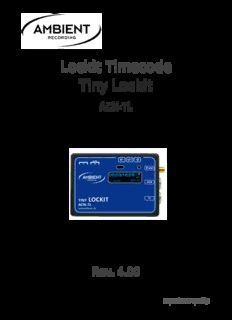
Table Of ContentLockit Timecode
Tiny Lockit
ACN-TL
Rev. 4.00
experience quality.
ACN-TL
Rev. 4.00
Table of contents page
1. Introduction 4
2. Package Contents 4
3. Safety Instructions 5
4. Powering 6
5. Powering on and off 6
6. Unit Description 7
7. Menu Description 8
Main Menu 9
Mode Menu 10
TC Menu 11
FPS 11
Jam 11
Level 12
Offset 12
UB 12
Sync Menu 13
Video 13
Audio 13
PPF 13
Slate Menu 14
Display 14
LEDs 14
Sensor 14
ACN Menu 15
Sync 16
Channel 16
2 ©2016, Ambient Recording GmbH
experience quality.
ACN-TL
Rev. 4.00
SYS Menu 17
Menu 17
Config 18
Display 18
Ant 18
USB / LemoACN 18
Bat 19
IR 19
Reset 19
Info 19
8. LED Indications 20
9. Firmware Update 22
10. Application Notes 22
11. Physical specifications 25
12. Warranty & Approvals 27
Warranty 27
Approvals 28
13. Recommended Accessories 30
www.ambient.de/en 3
ACN-TL
Rev. 4.00
1. Introduction
As all Ambient Lockit devices the Tiny Lockit provides a rock solid, highly accurate, temperature
compensated time code generator.
Except for the sync signal output, it comprises the full functionality of its big brother, including ACN
(Ambient Connected Network) support, metadata transfer and logging. These network capabilities also
allow the Tiny Lockit to be a fully functional, generator buffered time code transceiver. This provides
the stability of an Ambient Lockit Generator with the flexibility of a wireless TC system but without the
fear of dropouts.
In addition, it also offers most features of the former ALL601, such as variable time code output level
for recording TC on audio track and time code conversion between LTC / MTC. The second Lemo
connector is used for TC or communications and can be configured as USB, RS232, LANC reader or
GPI/O.
As known from the ACN-TL, the user interface is easy and intuitive to use. Due to its smaller form factor
the ACN-TL is especially suitable for applications on small cameras, but also on cameras or in setups
where a sync signal is not required, it is a handy solution. Thanks to the machined, pearl blasted and
anodized aluminum body the Tiny Lockit can easily withstand the roughest production conditions.
2. Package Contents
ACN-TL Synchronizer
Manual
4 ©2016, Ambient Recording GmbH
experience quality.
ACN-TL
Rev. 4.00
3. Safety Instructions
For your own safety and trouble-free use of your Tiny Lockit ACN-TL please carefully read through the
instructions below. Always keep a copy of these instructions and hand them out with the unit to other
users.
This unit is exclusively intended for indoor use. Keep it safe and away from water, rain and humidity
and dry under all circumstances even when powered off. Clean gently with a slightly moistened cloth
and never let water, detergents or liquids of any kind get into the unit as this will imply the risk of short
circuits and electrical hazard.
Keep distant from sources of heat and never expose to direct sunlight. Admissible ambience
temperature is from +5° to +50° Celsius.
Do not throw or expose to mechanical impact and keep it safe from hard vibrations.
Only use genuine accessories such as cables antennae etc. which have been supplied by an authorized
dealer. Always observe integrity and the pertinent compatibility with all units connected to.
Do not perform software updates in situations the integrity of mains supply can not be granted such as
thunderstorms and remove connections from and to all devices directly or in directly connected to
mains.
Only use intended batteries type Micro AAA with 1.5V. Watch correct polarity when inserting the
batteries, instructions can be found in the manual and on the device itself. Disregard of handling may
cause battery leakage or even risk of explosion.
To maintain secure electrical contact the batteries are loaded with high spring tension and can shoot
out of the compartment if opened without attention. Always secure the outer battery contact and
release slowly when accessing the compartment.
Proper recycling of used batteries might mandatory be instructed by local law. Please check for
requirements and dispose at foreseen institutions. With regard to environment only dispose
completely discharged batteries.
When powering from external sources remove the batteries. Pay attention to the use of LPS sources in
compliance to part 2.5 of EN 60950-1.
When using the wireless connection of the Tiny Lockit ACN-TL place it centrally and keep it distant from
sources of possible interference such as microwaves or electrical devices with large metal surfaces.
If possible always use the integrated antenna. If the application of an external antenna seems
mandatory only use the original part directly attached to the socket. Extension or use of 3rd party
accessories is not licit.
Never open the unit. Inappropriate and unauthorized access will void the warranty and imply possible
risk of harm to the user.
When disposing the unit follow the legal requirements for recycling electronic equipment.
www.ambient.de/en 5
ACN-TL
Rev. 4.00
4. Powering
The ACN-TL can be powered:
By 2 pcs. Type Micro AAA batteries (Alkaline, NiMH rechargeable or Li-Ion). Set correct
battery type in configuration for reliable low voltage warning.
No charging function for rechargeable batteries when powered from external.
Pay attention to insert with correct polarity as shown on label, insert outer with “+” first, inner
with “-“ first. Push down battery hinge and close slider.
Or:
5 to 18 Volts DC via pin 4 of Lemo/TC socket
Or:
5 Volts DC via the USB socket.
If powered from USB, USB is displayed in the upper right
corner of the display instead of the battery symbol.
If powered from external on Lemo/TC pin 4, EXT is
displayed in the upper right corner of the display instead of
the battery symbol.
Note: Current time code is lost when power is removed. The settings are stored, the unit will
power up with the last configuration used.
5. Powering on and off
To turn on the ACN-TL, press and hold the config switch for 4 seconds.
To turn off, press and hold the switch for 4 seconds.
6 ©2016, Ambient Recording GmbH
experience quality.
ACN-TL
Rev. 4.00
6. Unit Description
① ② ③ ④ ⑤
⑥
⑦
⑧
① Battery compartment slider to be pushed left/right for access to switch or batteries
② Configuration switch (further “config switch”, ↓ for pushing in, for toggle left/right)
③ IR transceiver, used to set and check the ACN-TL from the ACC501 controller
④ Display
⑤ Signal LEDs
⑥ External antenna connector
⑦ Lemo 5-pin socket Lemo/ACN: time code in, out / RS232 serial port tx-rx / USB / LANC / GPI/O /
Switch function / DC-out
⑧ Lemo 5-pin socket Lemo/TC: time code in, out / ascii / tune signal / PPF / DC-in
www.ambient.de/en 7
ACN-TL
Rev. 4.00
7. Menu Description
The menu description will use the following conventions:
Underlined: marks a (sub) menu, pressing the navigation wheel will open the next lower level, which
may contain submenus or parameters.
“Quoted Italic”: marks a parameter setting. This is the lowest level of a menu. Depending on the
available options these will be listed visible or can be scrolled (separated by “/” in the explanation
below). Active values will be highlighted. To change use the navigation wheel to select and press to
apply, to keep current settings just press. Both will automatically jump up one menu level with “Home”
selected. So, intentionally or accidentally, you will always quickly find your way back home.
*: marks the factory default setting on a parameter, the unit will load these settings when resetting via
Sys/Reset
(E): Only available when “Extended” is selected in Sys/Menu
Some menus, parameters, or settings will also be exclusive to different devices and marked accordingly
(1) ACL204 Lockit, (2) ACN-TL Tiny Lockit, (3) ACN-LS Lockit Slate, (4) ACN-ML MasterLockit
The all new graphical interface has been completely reworked to combine ease of use with maximum
flexibility for experienced users. As such, it now features a “Home” symbol in each menu pane with sub
menus. When entering a (sub) menu the cursor will always default here, allowing the user to quickly
move up one level when pressing the wheel erratically or just checking the settings.
Complexity of adjustments is now defined by a 2 step menu depth which can be set from the System
setting Menu. “Extended” will disclose additional settings. Values available only on this level will be
marked with (E) accordingly.
“Standard”: this will only show valid settings that have proven practical for the majority of productions,
so we highly recommend leaving it sitting here unless you run in apparent limitations to your required
configuration. In the above example of ACL204, when selecting a video sync format the only applicable
TC frame rate will be preselected on the step-by-step configuration and only thing required is to
confirm. When starting with TC frame rate and then moving to Sync and choose Video the first
matching project rate will be suggested for each video format. However, as video is on a higher priority,
changes applied here will result in TC FPS being accordingly adjusted and the new frame rate will be
showed for confirmation.
Note: “Standard” will not allow for TC/video cross rates, each video format will only have 1
matching TC rate which will be preselected. Only exception are NTSC area rates 29.97 and 59.94
which will give you the option between 29.97 (non drop) and 29.97DF (drop frame).
Important: When using 29DF make sure the whole set does. NEVER run a setup with units mixed
on non drop and drop! 29DF will neither sync with 29.97, 30, or any other non drop rate.
8 ©2016, Ambient Recording GmbH
experience quality.
ACN-TL
Rev. 4.00
“Extended”: this will show the complete menu as offered previously and allow for the most complex
configurations to suffice even the most avid TC and Sync Supervisor.
E.g. this mode will unlock video and TC being “crossed”, so you can pick 24 fps TC along with video rates
of 25, 50, or 60 fps. However, you still cannot pick invalid settings such as PAL area TC rates along with
NTSC area video formats (23.98, 29.97, 47.95, 59.94) and vice versa. It will also unlock sync output for
3D rigs, more uncommon video and TC rates of 30 and 60 fps, PAL and NTSC SD sync. Additional
options include Audio and PPF sync options, and applying an Offset to the TC output for
compensation of frame processing delay. Clearly, these are options not required for most applications
and there will be hardly reason to unleash this level.
Note: Settings are persistent through a level change which allows you to start off with guided
default depth and tweak in “Extended” if required.
Furthermore, we improved on our fail safe configuration, guiding the user step by step through
configuration. E.g. on Lockit ACL204 you now will be taken automatically from TC to Sync menu and vice
versa when making adjustments to either category, and matching values will be preselected.
The Lockit Slate menu has been enhanced with a new guided Display menu which replaces the rigid
presets of the information displayed on clap. You can now consecutively assign 0-20 seconds to
Userbits, Clapped Timecode and the generator’s Running TC to be displayed for after the late had
been hit. Default will be ”UB:0s CT:10s TC:0s” which corresponds to the former “Claptime” setting, on
which the clapped time was displayed for 10 seconds until the display was going dark.
Press the 3-directional configuration wheel in home screen to open the
Main Menu
↑ Mode TC Sync (1, E 2) / Slate (3) ACN Sys
Sync Menu only available on ACL204 Lockit and ACN-TL Tiny Lockit (Extended), Slate Menu only
available on ACN-LS Lockit Slate
Navigate the menu by toggling left/right, menus are rotational, so if you want to go from the first to the
last setting just flick the wheel left once. Pressing the highlighted selection will open its submenu,
pressing the arrow up/house symbol will take you back again. When there is no further submenu the
current active setting will be highlighted. If you do not want to apply changes just press on the
highlighted selection and you will fall back to main menu without alterations.
www.ambient.de/en 9
ACN-TL
Rev. 4.00
Mode Menu
↑ int TC* C-Jam TRX ext TC (E ) Reader (3)
This new menu will allow for one step configuration when initializing your Lockits for a new project. Just
pick your application and all necessary adjustments will be performed automatically under the hood.
Together with the new “Full” Jam mode and auto frame rate setting there is hardly anything left to do
but choose your sync option on ACL204 if applicable and Jam sync your units via cable or ACN after
having put one unit into C-Jam Master mode. Each mode has a dedicated LED blink code of the two
colored LEDs above the OLED display, which will also show selected mode and active transmission
direction.
“Int TC”: “Classic” Lockit mode, the unit will run on its internal generator with standalone accuracy of
.1ppm, ACN disabled. Default setting. MIDT timecode (MTC) will be put out over USB (ACL204 and ACN-
LS) or Lemo ACN (ACN-TL).
“C-Jam”: int TC with benefits of ACN enhancement. The generator will be jammed over ACN, TC
framerate applied, slaves (identified by “S” in the left ACN status info) will pull in to C-Jam master set to
Continuous sync mode (labelled as “M”) and metadata transfer incl. slate clap time activated. While only
default for master Lockit, this is the recommended setting when running any combination of ACN ready
units. Just jam the C-Jam Master to time of day and enable “Continuous” Sync in ACN/Sync menu and
you never need to worry about TC for the rest of the day.
Note: Just one unit allowed as C-Jam master.
“TRX”: ACN TC radio link. Unit will act as a auto configuring transceiver. On detection of external SMPTE
LTC or MIDI TC source the device will transform into transmitter (indicated by “T” in ACN status) and
send ext TC status and frame rate to other units (marked “R”) which will automatically follow the
source. Source detection is fully automized including bidirectional MTC/LTC conversion. TC will be
displayed on LED display of Lockit Slate, clapped time broadcasted as metadata. As this mode is not
suited for proper synchronisation selected sync output will be defeated on ACL204.
“Ext TC”: In this mode the device serves as a bidirectional LTC to MIDI TC convertor. TC will be
displayed on LED display of Lockit Slate. Useful in studio environments to sync TC between external
equipment and digital audio workstation where ACN is a not required feature.
“Reader”: Only available on Lockit Slate, this mode allows to visualize external LTC on the slate. No
MTC conversion, no output or ACN, but instead the slate will follow TC playback in low or highspeed
and even reversed which makes it the preferred mode for special effect shots.
10 ©2016, Ambient Recording GmbH
Description:For your own safety and trouble-free use of your Tiny Lockit ACN-TL please carefully read through the instructions http://ambient.de/en/downloads/.