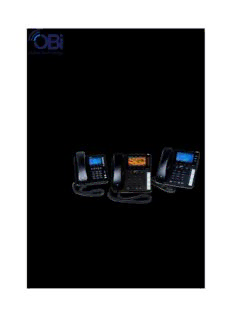
Table Of ContentObihai Technology, Inc.
Obihai IP Phone Administration Guide
Models:
OBi1062
OBi1032
OBi1022
OBi2062
OBi2162
OBi2182
October 2017
Copyright, Obihai Technology, Inc. 2010-2017. All Rights Reserved.
Copyright material. Do not make copies. Do not distribute.
All contents subject to change without notification.
AUDIENCE .......................................................................................................................................................................... 12
WHERE TO GO FOR HELP ...................................................................................................................................................... 12
NOTATIONAL CONVENTIONS .................................................................................................................................................. 13
Boolean Values ....................................................................................................................................................................................................... 13
Multiple Choice Values ........................................................................................................................................................................................... 13
Parameter Values ................................................................................................................................................................................................... 13
INTRODUCTION ..................................................................................................................................... 14
OBI IP PHONE HARDWARE .................................................................................................................................................... 14
Accessories Available Separately from Obihai ........................................................................................................................................................ 19
Other Accessories ................................................................................................................................................................................................... 19
CONNECTING THE OBI IP PHONE ............................................................................................................................................ 20
Connecting the Phone to the Network ................................................................................................................................................................... 20
Connecting to the LAN Over Wired Ethernet ......................................................................................................................................................... 20
Connecting to the WLAN Over WiFi ....................................................................................................................................................................... 20
OVERVIEW OF PHONE FEATURES ............................................................................................................................................ 20
Administrative Features ......................................................................................................................................................................................... 20
Voice Features ........................................................................................................................................................................................................ 20
Call Features ........................................................................................................................................................................................................... 21
Soft Switch Support ................................................................................................................................................................................................ 21
Integrated GUI Applications ................................................................................................................................................................................... 21
COMPLEMENTARY OBIHAI PRODUCTS AND SERVICES .................................................................................................................. 22
CONFIGURATION AND MANAGEMENT INTERFACES ................................................................................ 23
DEVICE LOCAL CONFIGURATION .............................................................................................................................................. 23
To access the OBi IP Phone Device Management Web Page: ................................................................................................................................. 23
Web Page Conventions and Icons & Buttons: ........................................................................................................................................................ 24
Local Configuration Web Page Layout .................................................................................................................................................................... 25
Phone Screen Capture ............................................................................................................................................................................................ 27
REMOTE PROVISIONING ........................................................................................................................................................ 27
About ZT (Zero Touch): Device Customization at Obihai’s Factory ......................................................................................................................... 28
OBITALK PORTALS .............................................................................................................................................................. 29
User Portal ............................................................................................................................................................................................................. 29
ITSP Portal ...................................................................................................................................................................Error! Bookmark not defined.
TELEPHONE-IVR-BASED LOCAL CONFIGURATION ....................................................................................................................... 29
Main Menu ............................................................................................................................................................................................................. 30
Additional Options (Menu 0) .................................................................................................................................................................................. 31
System Level Options ........................................................................................................................................................................................ 31
Network Related Configuration Options ........................................................................................................................................................... 31
SP1 Configuration Options ................................................................................................................................................................................ 32
SP2 Configuration Options ................................................................................................................................................................................ 33
OBiTALK Configuration Options ......................................................................................................................................................................... 34
Auto Attendant Configuration Options ............................................................................................................................................................. 35
Customized AA Prompt Recording Options ....................................................................................................................................................... 35
PHONE GUI ........................................................................................................................................................................ 36
Settings................................................................................................................................................................................................................... 36
Preferences ............................................................................................................................................................................................................ 39
Admin Password ..................................................................................................................................................................................................... 39
2
Copyright 2010-2017 Obihai Technology, Inc.
NETWORKING FEATURES ........................................................................................................................ 40
ETHERNET PORTS ................................................................................................................................................................. 40
WAN INTERFACE ................................................................................................................................................................. 40
VLAN ....................................................................................................................................................................................................................... 40
LLDP ....................................................................................................................................................................................................................... 40
IP Address Assignment ........................................................................................................................................................................................... 40
DNS Servers ............................................................................................................................................................................................................ 40
WIFI INTERFACE .................................................................................................................................................................. 41
IP Address Assignment ........................................................................................................................................................................................... 41
DNS Servers ............................................................................................................................................................................................................ 41
DHCP OPTIONS .................................................................................................................................................................. 41
DNS LOOKUP ..................................................................................................................................................................... 41
Lookup Order ......................................................................................................................................................................................................... 41
Locally Configured DNS Lookup Table .................................................................................................................................................................... 42
NTP SERVERS AND LOCAL TIME .............................................................................................................................................. 42
802.1X AUTHENTICATION .................................................................................................................................................... 42
Certificates for 802.1X Authentication ................................................................................................................................................................... 43
FEATURE KEYS........................................................................................................................................ 44
Using Speed Dial to store a Feature Access Code prefix ......................................................................................................................................... 47
LINE KEYS AND VIRTUAL LINE KEYS .......................................................................................................................................... 50
LEFT LINE KEYS AND VIRTUAL LEFT LINE KEYS ............................................................................................................................ 51
PROGRAMMABLE KEYS ......................................................................................................................................................... 51
Programmable Hard Keys ....................................................................................................................................................................................... 51
SIDE CAR KEYS .................................................................................................................................................................... 53
FEATURE KEY CONFIGURATION PARAMETERS ............................................................................................................................ 53
HIGHLIGHTS OF FEATURE KEY FUNCTIONS ................................................................................................................................. 53
Call Keys ................................................................................................................................................................................................................. 53
Line Monitor Keys .................................................................................................................................................................................................. 54
Speed Dial Keys ...................................................................................................................................................................................................... 54
BLF Keys ................................................................................................................................................................................................................. 54
Call Park Monitor Keys ........................................................................................................................................................................................... 54
Presence Monitor ................................................................................................................................................................................................... 55
Group Page Keys .................................................................................................................................................................................................... 55
INPUT METHODS ................................................................................................................................... 56
PHONE KEYPAD ................................................................................................................................................................... 56
USB KEYBOARD .................................................................................................................................................................. 56
VOICE SERVICES ..................................................................................................................................... 57
ITSP PROFILES .................................................................................................................................................................... 57
OVERVIEW OF COMMON TRUNK CONFIGURATION ..................................................................................................................... 57
Service Enable ........................................................................................................................................................................................................ 57
Service Account Credentials ................................................................................................................................................................................... 58
Servers ................................................................................................................................................................................................................... 58
Trunk Capacity ........................................................................................................................................................................................................ 58
Basic Incoming Call Handling .................................................................................................................................................................................. 58
Basic Outgoing Call Handling .................................................................................................................................................................................. 59
3
Copyright 2010-2017 Obihai Technology, Inc.
SPECIFICATION OF TARGET PHONE NUMBERS ............................................................................................................................ 59
SIP/SP SERVICE ...................................................................................................................................... 60
SIP Registration ...................................................................................................................................................................................................... 60
Third Party Registration ..................................................................................................................................................................................... 61
Registration Period ............................................................................................................................................................................................ 61
REGISTER Final Non-2xx Response Handling ..................................................................................................................................................... 62
SIP Outbound Proxy Server .................................................................................................................................................................................... 62
DNS Lookup of SIP Servers ..................................................................................................................................................................................... 63
NAT Traversal Considerations ................................................................................................................................................................................ 63
Keep Alive Messages ......................................................................................................................................................................................... 64
SIP Proxy Server Redundancy and Dual REGISTRATION ......................................................................................................................................... 64
SIP Privacy .............................................................................................................................................................................................................. 65
STUN and ICE .......................................................................................................................................................................................................... 66
ITSP Driven Distinctive Ringing ............................................................................................................................................................................... 67
RTP Statistics – the X-RTP-Stat Header ................................................................................................................................................................... 67
RTCP ....................................................................................................................................................................................................................... 67
Media Loopback Service ......................................................................................................................................................................................... 67
A SIP/SP Configuration Example ............................................................................................................................................................................. 68
GOOGLE VOICE™ SERVICE ...................................................................................................................... 69
OBITALK SERVICE ................................................................................................................................... 70
OBIBLUETOOTH SERVICE ........................................................................................................................ 71
CALL FEATURES ...................................................................................................................................... 72
PHONE LEVEL AND LINE LEVEL FEATURE ................................................................................................................................... 72
CALL STATES ....................................................................................................................................................................... 72
CORE CALL FEATURES ........................................................................................................................................................... 73
Line Capacity .......................................................................................................................................................................................................... 73
Complex Operations Between Multiple, Diverse Voice Services ............................................................................................................................ 73
Making Outgoing Calls ............................................................................................................................................................................................ 73
Digit Map ........................................................................................................................................................................................................... 73
Audio Path and On/Off-Hook States .................................................................................................................................................................. 73
Off-Hook Dialing ................................................................................................................................................................................................ 74
On-Hook Dialing ................................................................................................................................................................................................ 74
Outbound Call Routes ....................................................................................................................................................................................... 74
Primary Line ...................................................................................................................................................................................................... 74
Explicitly Selecting a Line to make call ............................................................................................................................................................... 75
Dialing “Speed Dials 99” Numbers ..................................................................................................................................................................... 75
Dialing Star Codes .............................................................................................................................................................................................. 75
Called Party Caller ID Display ............................................................................................................................................................................. 75
Handling Incoming Calls ......................................................................................................................................................................................... 76
Inbound Call Routes .......................................................................................................................................................................................... 76
Rejecting Incoming Calls .................................................................................................................................................................................... 76
Caller ID Display ................................................................................................................................................................................................. 76
Ending Calls ............................................................................................................................................................................................................ 76
Holding Calls ........................................................................................................................................................................................................... 76
Resuming Calls ....................................................................................................................................................................................................... 76
“Foregrounding” a Call ........................................................................................................................................................................................... 76
Call Waiting ............................................................................................................................................................................................................ 77
4
Copyright 2010-2017 Obihai Technology, Inc.
Call Transfer ........................................................................................................................................................................................................... 77
Transfer Signaling .............................................................................................................................................................................................. 78
Limitations of Transfer by Internal Bridging ...................................................................................................................................................... 79
Conference Calls ..................................................................................................................................................................................................... 79
Local Mixing/Bridging ........................................................................................................................................................................................ 79
Call Selective Mute ............................................................................................................................................................................................ 79
Coachee Mode .................................................................................................................................................................................................. 80
External Conference Bridge ............................................................................................................................................................................... 80
No Hold Call (NOHC) ............................................................................................................................................................................................... 80
EXPANDED CALL FEATURES .................................................................................................................................................... 80
Auto Answer and Intercom .................................................................................................................................................................................... 81
Auto-Answer Incoming Call Based on Inbound Call Routing Rules ......................................................................................................................... 81
Auto-Answer when Caller Requests to Barge-In (with OBiTALK Service) ................................................................................................................ 82
Barge-In as a Coach ........................................................................................................................................................................................... 82
Push To Talk ........................................................................................................................................................................................................... 82
Speed Dial Feature Key ........................................................................................................................................................................................... 82
Block Caller ID* ...................................................................................................................................................................................................... 83
Block Anonymous Call ............................................................................................................................................................................................ 84
Calling Line ID Display ............................................................................................................................................................................................. 84
Call Forwarding ...................................................................................................................................................................................................... 84
Call Forward Numbers ....................................................................................................................................................................................... 84
Call Forward ALL ................................................................................................................................................................................................ 85
Call Forward on Busy ......................................................................................................................................................................................... 85
Call forward on No Answer:............................................................................................................................................................................... 85
Call Forward Signaling ....................................................................................................................................................................................... 85
Limitations of Call Froward by Internal Bridging................................................................................................................................................ 86
Do Not Disturb ....................................................................................................................................................................................................... 86
Do Not Ring ............................................................................................................................................................................................................ 86
Message Waiting Indication – Visual and Tone Based ............................................................................................................................................ 86
Multicast Page Groups ........................................................................................................................................................................................... 87
Music On Hold (MOH) ............................................................................................................................................................................................ 88
PREMIUM CALL FEATURES ..................................................................................................................................................... 89
Busy Lamp Field (BLF) ............................................................................................................................................................................................. 89
Single Versus Multiple BLF Event Notification ................................................................................................................................................... 89
BLF with Call Park Status ................................................................................................................................................................................... 90
What Happens When BLF Key is Pressed........................................................................................................................................................... 90
BLF Operation: Speed Dial ................................................................................................................................................................................. 90
BLF Operation: Directed Call Pickup .................................................................................................................................................................. 90
BLF Operation: Barge In ..................................................................................................................................................................................... 91
BLF Operation: Call Pickup ................................................................................................................................................................................. 91
BLF Operation: Resume ..................................................................................................................................................................................... 91
BLF Configuration .............................................................................................................................................................................................. 91
Floating BLF Key Assignment ............................................................................................................................................................................. 92
SIP for BLF.......................................................................................................................................................................................................... 93
BLF With OBiTALK Service ................................................................................................................................................................................. 94
Call Park and Call Pickup ......................................................................................................................................................................................... 94
Call Park Methods ............................................................................................................................................................................................. 95
Call Park Monitor and Call Pickup Methods ...................................................................................................................................................... 95
Call Park Ring ..................................................................................................................................................................................................... 96
Shared Line and Shared Call Appearances (SCA) .................................................................................................................................................... 97
5
Copyright 2010-2017 Obihai Technology, Inc.
Line Seize ........................................................................................................................................................................................................... 98
What Happens When a Call Appearance Key is Pressed .................................................................................................................................... 98
Buddy List ............................................................................................................................................................................................................... 99
Expanded Buddy List and Groups .....................................................................................................................................................................101
Buddy List Management ...................................................................................................................................................................................101
Presence Monitor .............................................................................................................................................................................................101
Call Recording Controls .........................................................................................................................................................................................102
Hold and Talk Event Package .................................................................................................................................................................................102
Advice of Charges (AOC) ........................................................................................................................................................................................102
BroadSoft Call Center Features .............................................................................................................................................................................102
Disposition Code...............................................................................................................................................................................................102
Customer Originated Call Trace ........................................................................................................................................................................103
Escalation .........................................................................................................................................................................................................103
Call Center Information ....................................................................................................................................................................................103
BroadSoft Guest Login/Logout (Hoteling) .............................................................................................................................................................103
Emergency Calls ....................................................................................................................................................................................................104
Call Diversion History ............................................................................................................................................................................................104
BROADSOFT AS-FEATURE-EVENT FEATURES ........................................................................................................................... 104
Call Forward All .....................................................................................................................................................................................................105
Call Forward Busy ..................................................................................................................................................................................................105
Call Forward No Answer ........................................................................................................................................................................................105
Do Not Disturb ......................................................................................................................................................................................................106
ACD Agent State ....................................................................................................................................................................................................106
Security Classification ............................................................................................................................................................................................107
Executive Call Filter ...............................................................................................................................................................................................107
Executive Assistant ................................................................................................................................................................................................107
Call Recording Settings ..........................................................................................................................................................................................107
BROADSOFT XSI FEATURES .................................................................................................................................................. 107
Network Directories ..............................................................................................................................................................................................108
BroadSoft Hosted PBX Platform .......................................................................................................................................................................108
Netwrok Directory Soft Key Options ................................................................................................................................................................108
Other PBX Platforms .........................................................................................................................................................................................109
Replace the Built-In Phone Book with a Network Directory .............................................................................................................................110
Network Call Logs ..................................................................................................................................................................................................110
BroadWorks Anywhere .........................................................................................................................................................................................110
Remote Office .......................................................................................................................................................................................................110
Simultaneous Ring .................................................................................................................................................................................................111
Call Forward Always ..............................................................................................................................................................................................111
Call Forward Busy ..................................................................................................................................................................................................111
Call Forward No Answer ........................................................................................................................................................................................111
Anonymous Call.....................................................................................................................................................................................................112
Do Not Disturb ......................................................................................................................................................................................................112
BUILT-IN PHONE APPS .......................................................................................................................... 113
NET SERVICES APP ............................................................................................................................................................. 113
NET DIR APP..................................................................................................................................................................... 113
PHONE GUI CUSTOMIZATION ............................................................................................................... 115
MAIN MENU .................................................................................................................................................................... 115
LINE KEY TABS................................................................................................................................................................... 115
6
Copyright 2010-2017 Obihai Technology, Inc.
CONTROLLING MULTIPLE CALLS PER CALL KEY......................................................................................................................... 115
Calls App Behavior .................................................................................................................................................................................................115
SOFT KEY SET CUSTOMIZATION ............................................................................................................................................ 116
Soft Key Set Parameter Syntax ..............................................................................................................................................................................116
Soft Key Specification .......................................................................................................................................................................................116
Assignable Soft Keys ..............................................................................................................................................................................................117
Soft Key Set Parameters: .......................................................................................................................................................................................123
LINE KEY WINDOW CUSTOMIZATION ..................................................................................................................................... 124
EXAMPLE: ........................................................................................................................................................................ 127
CUSTOMIZABLE SCREEN ELEMENTS ....................................................................................................................................... 128
Using $Macros and @Macros inside XML .............................................................................................................................................................129
$eval(expression) ..............................................................................................................................................................................................129
Color and Color Pattern .........................................................................................................................................................................................132
<ScreenItem> XML ................................................................................................................................................................................................132
Elements in a <ScreenItem> XML .....................................................................................................................................................................133
Attributes in a <ScreenItem> XML ....................................................................................................................................................................134
Macors that can be used inside a <ScreenItem> ..............................................................................................................................................136
<LineKeyStyles> XML .............................................................................................................................................................................................138
Elements in a <LineKeyStyles> XML ..................................................................................................................................................................138
Attributes in a <LineKeyStyles> XML ................................................................................................................................................................139
Macors that can be used in a <LineKeyStyles> XML .........................................................................................................................................140
Example 1: Double Size Line Key Screen Tiles ...................................................................................................................................................140
<SoftKeyStyles> XML .............................................................................................................................................................................................141
Elements in a <SoftKeyStyles> XML ..................................................................................................................................................................141
Attributes in a <SoftKeyStyles> XML.................................................................................................................................................................142
Macors that can be used in a <SoftKeyStyles> XML .........................................................................................................................................143
Example 1: Use Icons Only for Home Screen Soft Keys ....................................................................................................................................143
MAIN MENU CUSTOMIZATION ............................................................................................................................................. 144
<MainMenu> XML .................................................................................................................................................................................................145
General Structure .............................................................................................................................................................................................145
Elements in <MainMenu> ................................................................................................................................................................................146
Attributes in <MainMenu> ...............................................................................................................................................................................146
Attributes in <MainMenu> <item> Element .....................................................................................................................................................147
Macros available in <MainMenu> ....................................................................................................................................................................151
Example ............................................................................................................................................................................................................151
<MainMenuItemStyles> XML ................................................................................................................................................................................152
General structure: ............................................................................................................................................................................................152
Elements in <MainMenuItemStyles> ................................................................................................................................................................152
Attributes in <MainMenuItemStyles> ..............................................................................................................................................................153
Macros available in <MainMenuItemStyles> ....................................................................................................................................................154
Example ............................................................................................................................................................................................................155
TITLE BAR CUSTOMIZATION ................................................................................................................................................. 155
<TitleBarStyle> Attributes .....................................................................................................................................................................................157
The <Notifications> Element .................................................................................................................................................................................158
The <LineKeyTabs> Element ..................................................................................................................................................................................160
Trigger update of a notification icon with an ObihaiIPPhoneExecute XML ...........................................................................................................161
LED PATTERN CUSTOMIZATION ............................................................................................................................................ 162
LED Settings Parameters .......................................................................................................................................................................................162
Call State ...............................................................................................................................................................................................................162
7
Copyright 2010-2017 Obihai Technology, Inc.
SCA State ...............................................................................................................................................................................................................162
BLF State................................................................................................................................................................................................................163
Service State ..........................................................................................................................................................................................................163
ACD Agent State ....................................................................................................................................................................................................163
Presence State .......................................................................................................................................................................................................163
Feature Key State ..................................................................................................................................................................................................164
VMWI Lamp ...........................................................................................................................................................................................................165
GUI MENU CUSTOMIZATION ............................................................................................................................................... 165
Preferences Menu .................................................................................................................................................................................................166
Settings Menu .......................................................................................................................................................................................................166
Product Information Menu ...................................................................................................................................................................................166
Main Menu ............................................................................................................................................................................................................166
Net Services Menu ................................................................................................................................................................................................166
Main Menu Item IDs ..............................................................................................................................................................................................167
Net Services Menu Item IDs ..................................................................................................................................................................................167
Preferences Menu Item IDs ...................................................................................................................................................................................167
Settings Menu Item IDs .........................................................................................................................................................................................169
Product Info Menu Item IDs ..................................................................................................................................................................................169
CACHE CONTROL OF DOWNLOADED (TEMPORARY) DATA .......................................................................................................... 169
PHONE CUSTOMIZATION DATA ............................................................................................................................................. 170
Startup Splash Screen ............................................................................................................................................................................................170
Background Pictures ..............................................................................................................................................................................................170
Text Fonts Customization ......................................................................................................................................................................................171
Language Customization with Dictionary Files ......................................................................................................................................................173
Phone Book Pictures .............................................................................................................................................................................................181
Ring Tones .............................................................................................................................................................................................................181
Phone Customization Data Package ......................................................................................................................................................................181
Uploading Customization Data Package to the Phone ..........................................................................................................................................181
INTERNAL DATA STORAGE PATHS FOR USER PREFERENCES SETTINGS ........................................................................................... 182
OBIPHONE XML APPLICATIONS ............................................................................................................ 185
ACTION URLS – PULL MODEL .............................................................................................................................................. 185
Action URL Feature Key .........................................................................................................................................................................................185
Action URL Soft Key ...............................................................................................................................................................................................185
SIP NOTIFY – PUSH MODEL ................................................................................................................................................. 185
XML APP DEVELOPMENT .................................................................................................................................................... 186
AUTO ATTENDANT ............................................................................................................................... 187
AA CALLBACK SERVICE ........................................................................................................................................................ 187
USER RECORDED PROMPTS.................................................................................................................................................. 188
CUSTOMIZING AA PROMPT LISTS .......................................................................................................................................... 188
VOICE GATEWAYS AND TRUNK GROUPS ............................................................................................... 190
VOICE GATEWAY ............................................................................................................................................................... 190
TRUNK GROUPS ................................................................................................................................................................. 190
LDAP ................................................................................................................................................... 191
LDAP SERVICE SETUP ......................................................................................................................................................... 191
Client Authentication ............................................................................................................................................................................................193
8
Copyright 2010-2017 Obihai Technology, Inc.
LDAP DIRECTORY SEARCH APPLICATION ................................................................................................................................ 193
Invoke LDAP by Main Menu – Directories Option .................................................................................................................................................193
Invoke LDAP by Main Menu – Network Directory Option .....................................................................................................................................193
Invoke LDP by Soft Key - LDAP ...............................................................................................................................................................................193
Search Fields .........................................................................................................................................................................................................193
Result Fields ..........................................................................................................................................................................................................194
Sorting of Results ..................................................................................................................................................................................................195
REPLACE THE BUILT-IN PHONE BOOK WITH LDAP ................................................................................................................... 195
IP PHONE SETTINGS ............................................................................................................................. 196
PHONE SETTINGS ............................................................................................................................................................... 196
DigitMap and OutboundCallRoute ........................................................................................................................................................................196
Primary Line ..........................................................................................................................................................................................................196
Network Directory .................................................................................................................................................................................................197
Buddy List ..............................................................................................................................................................................................................197
User Preferences Settings .....................................................................................................................................................................................197
Page Groups 1 and 2 .............................................................................................................................................................................................197
LINE KEYS ......................................................................................................................................................................... 197
PROGRAMMABLE KEYS ....................................................................................................................................................... 197
SIDE CAR 1 AND SIDE CAR 2 ................................................................................................................................................ 198
AUDIO CODEC PROFILES ....................................................................................................................... 199
TONE PATTERNS .................................................................................................................................. 200
TONE PROFILE FEATURES OF THE OBI DEVICE .......................................................................................................................... 200
TONE EXAMPLES: ............................................................................................................................................................... 201
RINGTONES AND RING PATTERNS ........................................................................................................ 204
STAR CODE PROFILES ........................................................................................................................... 206
STAR CODE SCRIPT VARIABLES (VAR) .................................................................................................................................... 206
STAR CODE SCRIPT ACTIONS (ACT) ....................................................................................................................................... 207
STAR CODE SCRIPT FORMAT ................................................................................................................................................ 207
STAR CODE SCRIPT EXAMPLES .............................................................................................................................................. 208
Default Star Codes .................................................................................................................................................................................................208
USER SETTINGS .................................................................................................................................... 210
SPEED DIAL NUMBERS ........................................................................................................................................................ 210
USING SPEED DIAL NUMBER AS AD HOC GATEWAY .................................................................................................................. 210
CALL ROUTING ..................................................................................................................................... 211
TRUNKS, ENDPOINTS, AND TERMINALS .................................................................................................................................. 211
SUPPORTED 2-WAY CALL BRIDGES ON THE OBI1000 ................................................................................................................ 211
CALL ROUTING – THE OBI WAY ........................................................................................................................................... 212
INBOUND CALL ROUTE CONFIGURATION ................................................................................................................................ 212
OUTBOUND CALL ROUTE CONFIGURATION ............................................................................................................................. 214
DIGIT MAP CONFIGURATION ................................................................................................................ 217
MATCHING AGAINST MULTIPLE RULES IN DIGIT MAP ............................................................................................................... 223
9
Copyright 2010-2017 Obihai Technology, Inc.
Forcing Interdigit Timeout With The Hash/Pound (#) Key .....................................................................................................................................224
INVOKE SECOND DIAL TONE IN DIGIT MAP ............................................................................................................................. 224
CHANGE INTERDIGIT LONG TIMER DYNAMICALLY AFTER PARTIAL MATCH ..................................................................................... 225
USER DEFINED DIGIT MAPS ................................................................................................................................................. 225
A USER DEFINED DIGIT MAP FOR IPV4 DIALING ..................................................................................................................... 225
ADMINISTRATIVE FEATURES................................................................................................................. 226
NATIVE WEB SERVER .......................................................................................................................................................... 226
SYSLOG ............................................................................................................................................................................ 226
FACTORY RESET ................................................................................................................................................................. 226
FIRMWARE UPDATE ........................................................................................................................................................... 226
Automated Firmware Update ...............................................................................................................................................................................226
CONFIGURATION BACKUP AND RESTORE ................................................................................................................................ 226
AUTO PROVISIONING .......................................................................................................................................................... 226
OBiTALK Provisioning ............................................................................................................................................................................................226
ITSP Provisioning ...................................................................................................................................................................................................226
CUSTOMIZATION DATA AUTO UPDATE ................................................................................................................................... 226
Customization Data Package .................................................................................................................................................................................227
Auto Update Operation .........................................................................................................................................................................................227
Auto Update Configuration Parameters ................................................................................................................................................................227
DEVICE WEB PAGE AND CONFIGURATION PARAMETER REFERENCE....................................................... 229
STATUS ............................................................................................................................................................................ 229
System Status ........................................................................................................................................................................................................229
Reboot Reason Codes............................................................................................................................................................................................230
Call Status Web Page .............................................................................................................................................................................................230
SP Services Statistics..............................................................................................................................................................................................231
OBIWIFI CONFIGURATION WEB PAGE AND PARAMETER REFERENCE ........................................................................................... 232
WiFi Settings Web Page .........................................................................................................................................................................................232
WiFi Scan Web Page ..............................................................................................................................................................................................232
SYSTEM MANAGEMENT PARAMETERS.................................................................................................................................... 233
WAN Parameters ...................................................................................................................................................................................................233
Auto Provisioning Parameters ...............................................................................................................................................................................236
Zero-Touch, Massive Scale Remote Provisioning: .................................................................................................................................................239
Device Admin Parameters .....................................................................................................................................................................................239
DEVICE UPDATE WEB PAGE ................................................................................................................................................. 240
Firmware Update ..................................................................................................................................................................................................240
Possible Error Messages on Firmware Update Failure: ....................................................................................................................................240
Backup (Customized) AA User Prompts .................................................................................................................................................................240
Backup Configuration ............................................................................................................................................................................................241
Restore Configuration ...........................................................................................................................................................................................241
Reset Configuration (to Factory Default) ...............................................................................................................................................................241
SERVICE PROVIDER CONFIGURATION PARAMETERS ................................................................................................................... 241
ITSP Profile X – General Web Page (X = A, B, C, D, E, F) .........................................................................................................................................241
ITSP Profile X – SIP Web Page (X = A, B, C, D, E, F) ...............................................................................................................................................242
ITSP Profile X – RTP Web Page (X = A, B, C, D, E, F) ..............................................................................................................................................248
VOICE SERVICES ................................................................................................................................................................. 248
SPn Service Web Page (n = 1, 2, 3, 4, 5, 6) .............................................................................................................................................................248
10
Copyright 2010-2017 Obihai Technology, Inc.
Description:Visit www.obitalk.com to create an OBiTALK account and within the portal. Once logged in, click “Add Device” to add your OBi Phone to the portal. You can change all the advanced settings within this guide via the portal by using “OBi. Expert” mode. To enter OBi Expert, click on your device